Download Driver Assistant and every driver tool in one place — auto ride-accept apps for Rapido, Ola & Uber, setup helpers, and step-by-step fix guides when something goes wrong.
Downloads
Start with the essential tools below, then pick the driver app that matches how you work.
Latest Ride Accepter Pro APK
Download the Shell APK
Watch the installation video
Download the Shizuku APK
Tuned for Ola Driver with a blink-fast accept engine. Grabs rental and outstation rides instantly — inside the app and from outside it. Includes full ride-accept history, a voice-based driver zone, and zone, KM and fare filters. Sign in with your email or phone number.
Works with Rapido Captain, Ola Driver and Uber Driver. Accepts rides in the blink of an eye — including rental and outstation trips — whether the app is open or in the background. Track every accepted ride in the built-in history, and add locations to your driver zone by simply speaking them. Login with email or phone number.
The same Pro Max engine in a lightweight package — instant ride accept for Rapido, Ola and Uber, inside and outside the app, with ride-accept history, voice driver-zone add and zone, KM and fare filters. No login hassle: after recharge, the system automatically generates and applies your ID and password.
The all-in-one build for Rapido, Ola and Uber. Blink-fast ride accept inside and outside apps, complete ride-accept history, and a voice-powered driver zone with zone, KM and fare filters. No manual login needed — after recharge the system automatically generates and applies your ID and password.
One engine for rides and deliveries — Rapido Captain, Uber Driver, Ola Driver, inDrive, Namma Yatri, plus Porter, Swiggy, Zomato, Blinkit, Zepto, BigBasket, Amazon Flex and more. Blink-fast accept inside and outside apps, ride history, voice zone add, zone/KM/fare filters, and automatic login after recharge.
Why drivers choose it
Accepts rides in the blink of an eye — including rental and outstation trips — while the driver app is open or running in the background.
Every accepted ride is logged inside the app, so you can review your daily activity and earnings at a glance.
A driver-friendly zone system — just speak a location and it is added to your zone. No typing while driving.
Set your preferred zones, maximum pickup distance and minimum fare. Only the rides that match your rules come through.
Quick sign-in with email or phone number on Ride Taker and OLA Ride Taker — your settings stay synced.
On Pro Max, Ride Catcher and Intervance Ride, the system automatically generates and applies your ID and password after every recharge. Zero downtime.
Troubleshooting
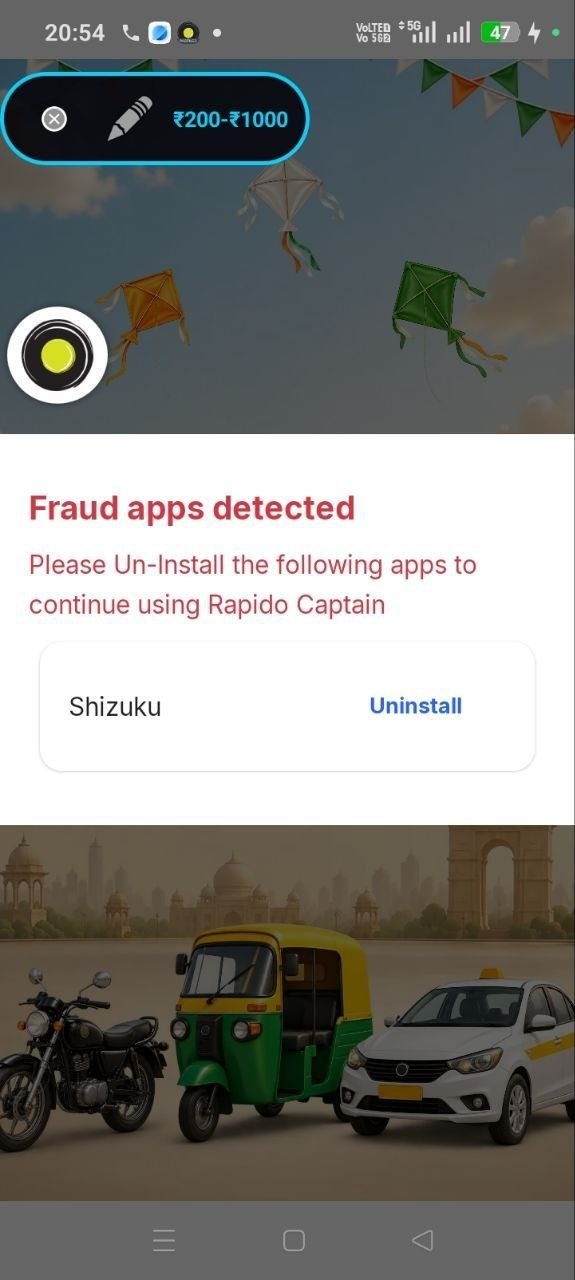
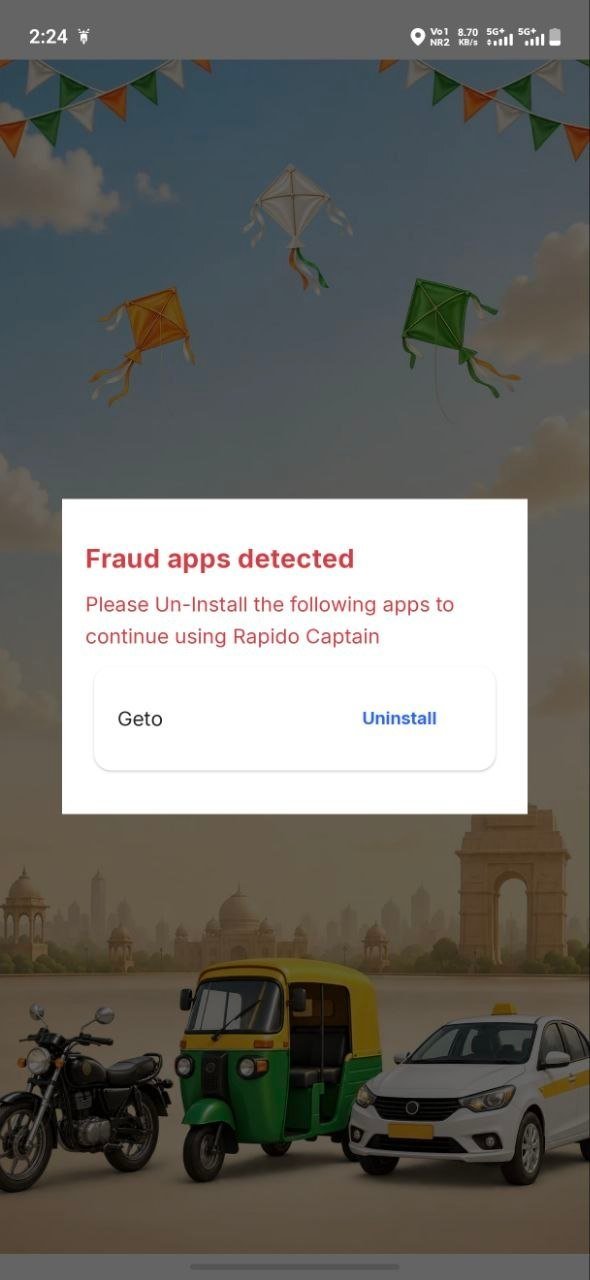
Match your screen with the screenshots below, watch the solution video, and use the one-tap ADB command if the issue continues.
Reported in the Rapido Captain app
Instant Fix — reboot or restart your device after installing
Reported in the Rapido Captain app
Tap copy, then paste it into your ADB or terminal app.
pm grant com.android.fix android.permission.WRITE_SECURE_SETTINGS
FAQ
Quick answers about installing, setup, login and fixing errors.
Tap the Download button for the app you want, then open the downloaded APK file. If your phone asks, allow 'Install from unknown sources' for your browser. Watch the Tutorial video in the Downloads section for a full step-by-step walkthrough.
Start with Get App (the main Ride Accepter Pro APK), then install the Shell App and Shizuku App — they are required for permissions and background running. After that, pick the driver app that matches your work, like OLA Ride Taker or Ride Accepter Pro Max.
Shizuku lets the app get the system permissions it needs without rooting your phone, and the Shell App keeps everything running smoothly in the background. Without them, auto accept may stop or show errors.
Go to the Fix Errors section above, match your screen with the error screenshot, and watch the solution video. If the issue continues, copy the ADB command with the one-tap Copy button and run it in your ADB or terminal app.
Yes. The apps accept rides in the blink of an eye — both inside the driver app and from outside it, even while running in the background.
Yes. Use the zone, KM and fare filters to accept only the rides you want. You can also add locations to your driver zone by voice — just speak the location, no typing needed.
Ride Taker and OLA Ride Taker support quick login with your email or phone number. On Ride Accepter Pro Max, Ride Catcher and Intervance Ride there is no manual login — after recharge, the system automatically generates and applies your ID and password.
Ride apps like Rapido Captain, Uber Driver, Ola Driver, inDrive, Namma Yatri, Jugnoo and Yatri Sathi, plus delivery and logistics apps like Porter, Swiggy, Zomato, Blinkit, Zepto, BigBasket, Amazon Flex, Shadowfax, Delhivery and more. See the full Supported Apps list below.
Compatibility